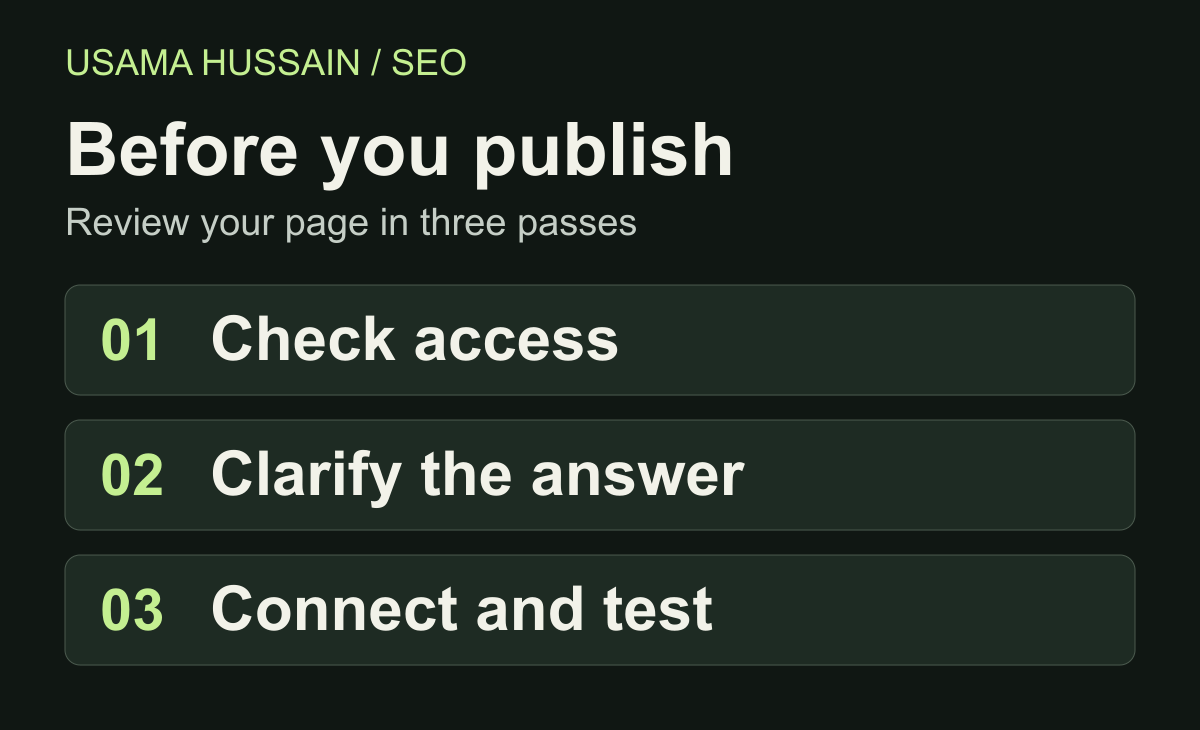
An on-page SEO checklist for a new website should start with whether the page can be accessed, then check whether it answers a clear question. Titles, descriptions, headings, images and internal links should all support that same purpose. Use the review below on each important page before launch, then repeat it on the public URL.
This checklist is a practical review order, not a ranking score. A page can pass every check and still take time to appear in search.
Start with one reader and one job
Write a single sentence describing who the page helps and what they should be able to do after reading it. For example: “A small business owner can check a new article before publishing it.” That is a clearer brief than “write something about SEO.”
Search the main question and inspect the kinds of answers currently shown. Are readers looking for instructions, a definition, a comparison or a product? Use that observation to decide the format, not to copy the results. If an existing page on your own site already answers the same question, improve that page before creating another version.
Google's SEO Starter Guide recommends useful, original, readable content. Add something the reader can apply: a decision rule, a worked example or a check they can perform themselves.
Check access before polishing the copy
Open the intended public URL while signed out. Confirm that the complete article is visible without a login and that the address loads the right page. Ask your developer to check its HTTP response, crawler access and indexing directives if these settings are unfamiliar.
- A public article should return a successful 200 response rather than an error page.
- Check that an old staging setting has not left the article marked noindex.
- Review robots.txt separately: a crawling restriction is not the same thing as an indexing instruction.
- Check that the canonical points to the intended version of the article, not a staging address or unrelated page.
Google's technical requirements for Search explain the minimum eligibility conditions and explicitly say that meeting them does not guarantee indexing. If access fails, fixing the title alone will not address that problem.
Use a short address that still explains the topic
Choose a stable slug such as /blog/on-page-seo-checklist. Remove filler words, unnecessary dates and tracking parameters from the permanent article address. Keep enough detail to distinguish it from a different article.
Treat this as a clarity decision. Do not rename an established URL simply because a shorter one looks nicer. For a new page, write down the chosen address in the editorial plan so future internal links use it consistently.
Make the title, headline and introduction agree
The title tag describes the page in browser tabs and is one input Google can use for a search-result title. The visible headline introduces the article itself. They do not need identical wording, but they should make the same promise.
For a hypothetical guide, “On-Page SEO Checklist for a New Website” is more informative than “SEO Tips | SEO Help | Best SEO.” Mention the main topic naturally and put the useful distinction where a reader can notice it. Do not repeat keyword variations to fill space.
Google's title-link guidance recommends concise, descriptive titles and explains that Google can generate title links from several sources. A title preview is therefore an estimate, not a guarantee of exactly what will display.
Use one clear main heading as an editorial convention. Organize the rest around questions or tasks. Read the headings alone: could someone understand the workflow without reading every paragraph?
Write a description that matches the actual page
A meta description should summarize the value of this particular article. For the example above: “Review your new website's titles, headings, images and internal links with a practical checklist before publishing.” Do not promise a downloadable template if the page contains none.
Avoid copying one description across every blog post. Google's snippet documentation explains that snippets are usually generated from page content and may sometimes use the meta description. They can vary by query. Focus on an accurate summary rather than treating a character-count target as a ranking rule.
Review evidence, examples and the next step
Check factual claims one by one. A statement about Google's behavior should link to the specific official document that supports it. A practical recommendation can be identified as your own suggested workflow. Do not turn an opinion into an announced Google update.
Label hypothetical examples clearly. Keep author information accurate, and remove statistics without a traceable source. An attractive screenshot does not prove that a particular change caused a traffic increase.
Finally, decide what readers can do next. For someone who wants guided practice rather than another checklist, my SEO training topics explain the areas we can work through. The link belongs here because it follows the learning task, not because every paragraph needs a call to action.
Connect pages by topic, not by a link quota
Give each article a useful route into the wider subject. A broad checklist can introduce title tags, image SEO and internal linking; a supporting guide can explain one of those jobs in depth. Publish the supporting article before linking to it, and update the broader guide once the destination is live.
Choose anchor text that describes the destination. In a hypothetical training site, “course prerequisites” would be useful if the destination explains prerequisites; it would be misleading if it opens a pricing page. Read the surrounding sentence and the destination together before accepting the link.
Google's link best practices recommend crawlable anchors with href attributes and relevant, descriptive link text. Avoid orphan pages, broken links and forced exact-match phrases. A link should help a person continue the task.
Make images useful and readable
Use a visual when it explains something more clearly than another paragraph. The review diagram above separates access checks from content and navigation checks. It is a process aid, not a set of ranking weights.
Write alt text describing the information the image conveys. For a screenshot, name the relevant view or result rather than inserting a string of SEO keywords. Keep meaningful labels readable on a phone, and ensure the image fits its container.
Google's image SEO guidance covers discoverable HTML images, responsive delivery and descriptive context. Check the actual rendered image as well as its file name; a good name cannot compensate for an unreadable diagram.
Run a final reader test on mobile
Read the article on a narrow screen. Can you scan the headings, follow the links and read the visual without horizontal scrolling? Tap the contact or navigation controls you expect a visitor to use. Confirm that the page still works when optional analytics is declined.
Record the URL, reviewer, date, issue and fix in a simple launch note. This gives the next review a concrete starting point and avoids repeating the same checks without knowing what changed.
A short publication checklist
- The article serves one clear informational need and adds practical value.
- The public page loads correctly, with indexing settings reviewed.
- The slug, title, headline and description describe the same subject.
- Claims have evidence, and examples are clearly labeled.
- Contextual links lead to relevant live pages.
- Images have useful alternatives and remain readable on mobile.
- Author, publication date and canonical describe the correct article.
- The live page has been checked after deployment, not only in preview.
Does passing the checklist mean Google will index the page?
No. These checks improve publication quality and help identify avoidable problems; they do not control Google's indexing decision. After publishing, inspect available Search Console reports and distinguish discovery, crawling, indexing and search impressions. Do not interpret an empty report immediately after launch as proof of a penalty.
Use the linked Google documents above as references when reviewing individual checks. The next useful improvement is the one supported by an actual issue on your page, not another round of keyword repetition.